

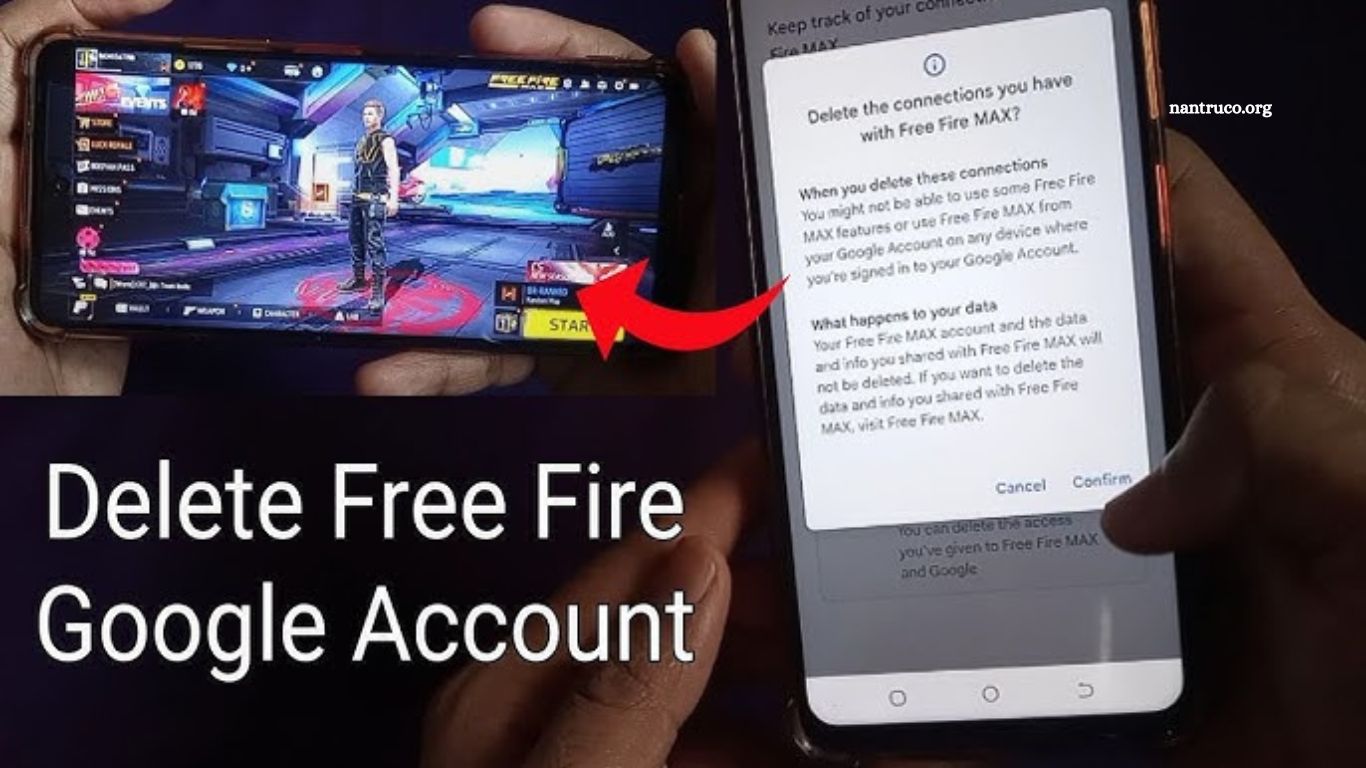
Gmail is the backbone of many online activities, including gaming, subscriptions, and professional communication. However, for privacy, security, or account management reasons, some users decide to permanently delete their Gmail account. If your Gmail is linked to Free Fire, a popular mobile battle royale game, this decision requires extra caution.
Deleting Gmail isn’t just about losing emails. It affects all services connected to your Gmail, including Google Drive, YouTube, and gaming platforms. Losing access to your Free Fire account can be frustrating, especially if you’ve invested time, effort, and money.
Read More: How Many Levels in Free Fire: Complete Level Guide
Understanding Gmail Account Deletion
Before deleting Gmail, it’s essential to understand what it means. A permanent Gmail deletion removes:
- Emails and associated data
- Access to all Google services linked to the account
- Ability to recover the account after a grace period
Important: Deleting Gmail does not automatically delete your Google Account unless you choose to delete the entire account. This distinction is crucial for Free Fire players who only want to remove Gmail but retain their gaming progress.
Consequences of Permanently Deleting Gmail
Deleting Gmail without planning can lead to:
- Loss of Free Fire account access if Gmail is the primary login
- Missing notifications and game updates
- Irreversible data loss from other Google services
- Issues with third-party apps linked to Gmail
To avoid these issues, backup and account migration are essential steps.
Free Fire Accounts and Gmail Integration
Free Fire allows multiple login methods:
- Gmail/Google Account
- VK (VKontakte)
- Guest accounts
Using Gmail ensures smooth synchronization across devices. However, if you delete Gmail, your Free Fire progress can be lost unless you link it to another account.
Steps to Backup Free Fire Data
Before deleting Gmail, follow these steps to secure your Free Fire account:
- Open Free Fire Settings
Navigate to Settings > Basic > Account. - Check Linked Accounts
Ensure your Free Fire account is linked to a secondary login method, such as Facebook or VK. - Link Another Account
- Tap “Link” and choose your preferred service.
- Confirm the linking process to secure progress.
- Backup Important Game Data
Take screenshots of achievements, diamonds, and inventory in case of unforeseen issues.
By linking your Free Fire account to a different login, you can safely delete Gmail without losing game progress.
How to Safely Remove Gmail Without Losing Free Fire Progress
Follow these actionable steps:
- Link your Free Fire account to an alternative login (Facebook or VK).
- Confirm that all game data is synchronized.
- Log out from Gmail in Free Fire.
- Proceed with Gmail deletion confidently.
Step-by-Step Guide to Permanently Delete Gmail
Step 1: Backup Emails
Download all emails using Google Takeout to preserve important information.
Step 2: Verify Linked Accounts
Check all platforms using your Gmail to avoid losing access.
Step 3: Delete Gmail
- Go to Google Account Settings.
- Navigate to Data & Privacy > Delete Gmail.
- Follow prompts and confirm deletion.
Step 4: Confirm Free Fire Access
Login via linked account to ensure your progress is safe.
Alternatives to Deleting Gmail
If your goal is decluttering or privacy:
- Deactivate Gmail temporarily
- Create a new Gmail and migrate essential emails
- Unlink Gmail from Free Fire without deleting it
These methods provide flexibility without risking account loss.
Common Mistakes Users Make
- Deleting Gmail without linking Free Fire to another account.
- Ignoring backup steps.
- Forgetting about other apps using Gmail login.
- Assuming deletion is instantly irreversible (Google provides a short recovery window).
Avoiding these mistakes ensures a smooth transition.
Tips to Recover Accounts Linked to Deleted Gmail
- Contact Free Fire support with UID and proof of purchase.
- Use linked accounts to regain access.
- Keep a backup of verification codes for any connected services.
Frequently Asked Questions
Can I delete my Gmail account without losing my Free Fire data?
Yes, you can. Before deleting your Gmail, make sure your Free Fire account is linked to another login method such as Facebook, VK, or Apple ID. Once your game data is safely linked elsewhere, you can delete Gmail without affecting your Free Fire progress.
What happens to my Free Fire account if I delete my Gmail?
If your Free Fire account is only linked to Gmail, deleting your Gmail will disconnect the game from your login credentials, making it nearly impossible to access your Free Fire account. That’s why it’s critical to link another account first before deleting Gmail.
Can I recover my Free Fire account after deleting Gmail?
Yes, but only if you previously linked your Free Fire account to another platform (e.g., Facebook). If not, you’ll need to contact Garena Free Fire Support and provide your UID, player name, and proof of in-game purchases for recovery.
How long does it take to permanently delete a Gmail account?
After requesting deletion, Google keeps your account for a short recovery period (usually a few weeks). Once that time passes, the Gmail account is permanently deleted and cannot be restored.
Will deleting my Gmail also delete my Google Account?
Not necessarily. When deleting Gmail, you’ll be asked whether to delete only the Gmail service or your entire Google Account. If you delete the entire Google Account, you’ll lose access to Google Drive, YouTube, Photos, and Play Store as well.
Can I use the same Gmail address again after deletion?
No. Once you delete a Gmail account, that specific email address cannot be reused or created again by anyone not even by you. Make sure you’re certain before confirming permanent deletion.
Conclusion
Deleting your Gmail account is a serious decision that requires thoughtful preparation — especially when that Gmail is connected to important services like Free Fire. Many players lose access to their gaming profiles simply because they didn’t realize how deeply Gmail integration affects their account.
