

Roblox stands as one of the leading online platforms for user-generated gaming experiences, attracting millions of players and creators from around the world. Central to its dynamic ecosystem is Robux, the platform’s official virtual currency. Robux enables users to unlock a range of premium features, from purchasing avatar accessories and in-game items to accessing exclusive games and content.
More than just a tool for customization, Robux plays a vital role in the economic structure of Roblox, empowering developers to monetize their creations and engage more deeply with the community. Whether you’re a seasoned creator or a curious newcomer, understanding how Robux works—and how to earn and spend it—can significantly enhance your overall Roblox experience and open new possibilities within the platform.
Read More: Top Rarest Skins in Roblox: A Complete Guide
What Is Robux and How Can You Get It?
Robux is the official virtual currency used within the Roblox platform, serving as a key component of the user experience. It allows players to purchase avatar accessories, clothing, in-game items, and premium features that enhance gameplay and personalization.
There are several ways to acquire Robux:
- Promotions and Events: Occasionally, Roblox partners with brands or hosts special events that reward users with free Robux or related perks.
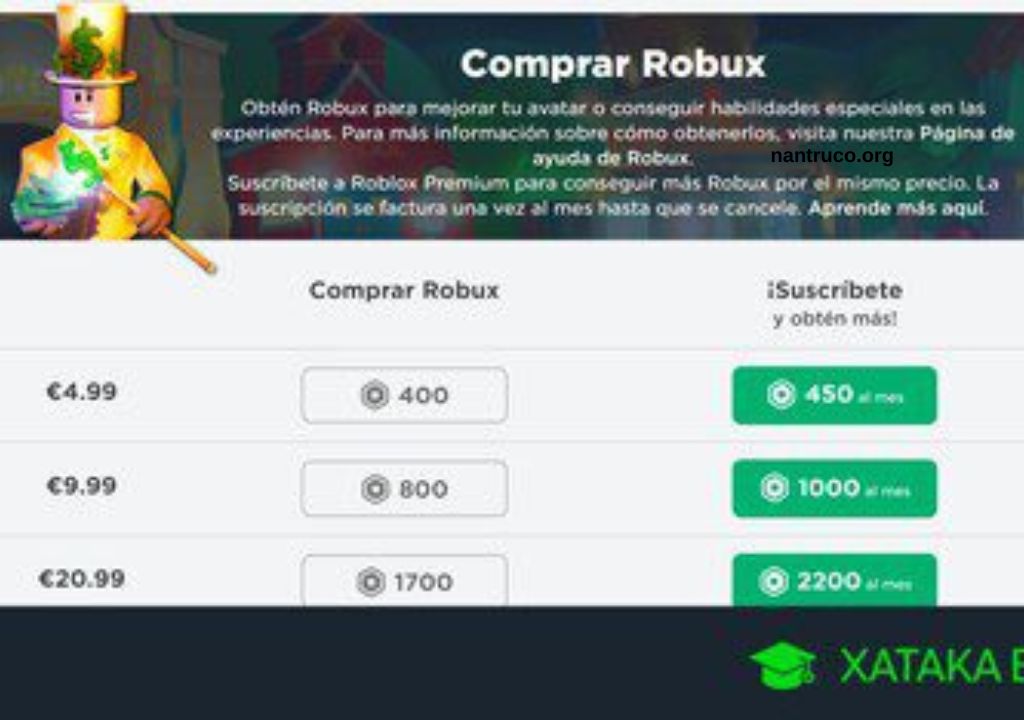
- Direct Purchase: Users can buy Robux through the official Roblox website or app.
- Roblox Premium Membership: Subscribers receive a monthly Robux allowance and access to exclusive features.
- Creating and Selling Virtual Items: Developers and designers can earn Robux by selling clothing, game passes, or other digital assets on the platform.
What Is Robux Used for in Roblox?
Robux is the essential virtual currency in Roblox, used to unlock and enhance various features across the platform. It provides players and creators with greater freedom to personalize, upgrade, and monetize their experiences. Here are some of the main ways Robux is used:
- Customize Avatars: Purchase clothing, accessories, animations, and gear to personalize your character’s appearance.
- Unlock Game Features: Acquire in-game upgrades, special abilities, weapons, and tools to gain advantages or progress faster.
- Access Premium Content: Pay for entry into exclusive games, experiences, or VIP areas not available to free users.
- Monetize Creations: Developers and creators can use Robux to advertise their games or sell items and game passes to earn more Robux or exchange it (if eligible) for real money through the Developer Exchange program.
In short, Robux enhances both the creative and gameplay aspects of Roblox.
Advantages of Having Robux in Roblox
Possessing Robux in Roblox unlocks a wide range of benefits that elevate both the player’s experience and creative potential. Here are the key advantages:
- Avatar Customization: Robux allows you to personalize your avatar with exclusive clothing, accessories, animations, and gear that are not available to free users.
- Access to Premium Content: Many games on Roblox offer exclusive content or features that can only be unlocked with Robux, including VIP zones, private servers, and premium game passes.
- In-Game Enhancements: Robux enables you to purchase special abilities, weapons, boosts, and upgrades that enhance gameplay and give you a competitive edge.
- Earning Opportunities: Creators can design and sell virtual items, clothing, or game passes to earn more Robux, which can be reinvested or converted to real-world currency through Roblox’s Developer Exchange program (DevEx).
Overall, having Robux offers greater freedom, customization, and opportunity within the Roblox ecosystem.
Tips for Managing and Using Your Robux Efficiently
Robux is a valuable resource in Roblox, and managing it wisely ensures you get the most from your time on the platform. Whether you’re a casual player or an aspiring developer, here are practical tips to help you use your Robux effectively:
- Set a Spending Budget: Plan how much Robux you can spend and stick to it. This helps prevent impulse purchases and ensures you save enough for items that matter most to you.
- Prioritize Value: Before buying an item or game pass, consider whether it truly enhances your gameplay or avatar. Read reviews, check ratings, and compare similar items.
- Earn Robux Creatively: Instead of only spending, explore ways to earn Robux by designing clothing, creating game passes, or building engaging experiences that attract other users.
- Avoid Scams: Be cautious of websites, apps, or users that claim to offer free Robux. These are often scams that can lead to account theft or bans. Always use official Roblox channels.
Smart Robux management helps you enjoy a richer, safer, and more rewarding Roblox experience.
How Can I Get Free Robux?
While there’s no magic shortcut to unlimited Robux, there are a few legitimate and safe ways to earn it without making direct purchases. Here’s how you can get free Robux through official methods:
- Develop Games: Talented developers can build games and monetize them through in-game purchases, ads, and premium access, all of which generate Robux.
- Participate in Roblox Events and Promotions: Roblox occasionally hosts special events, contests, or brand collaborations where players can earn Robux or exclusive virtual items. Keep an eye on the official Roblox blog and events page.
- Create and Sell Content: If you have a Roblox Premium membership, you can design and sell clothing, game passes, and other digital assets in the Roblox Marketplace. The more engaging or popular your creations, the more Robux you can earn.
Frequently Asked Questions
What is Robux?
Robux is the virtual currency used in Roblox. Players use it to buy avatar items, access premium games, and unlock special features.
How do I get Robux?
You can get Robux by purchasing it directly, subscribing to Roblox Premium, selling items or game passes (if you’re a creator), or earning it through monetized games.
Can I earn Robux for free?
Yes, but only through official methods like selling items, game development, or participating in Roblox events. Avoid third-party sites that offer free Robux—they’re often scams.
What can I buy with Robux?
Robux can be used to purchase clothing, accessories, emotes, game passes, private servers, and special in-game items.
Do Robux expire?
No, Robux do not expire as long as your Roblox account remains active and in good standing.
Can I convert Robux into real money?
Yes, eligible developers can use the Developer Exchange (DevEx) to convert Robux into real-world currency, but this requires a Roblox Premium membership and meeting certain criteria.
Conclusion
Robux plays a central role in the Roblox ecosystem, offering players and creators the tools to personalize their experience, unlock premium content, and even generate real income. Whether you’re buying avatar accessories, accessing exclusive games, or building and selling your own virtual creations, managing your Robux wisely can greatly enhance your time on the platform.
